
Meeting room booking software
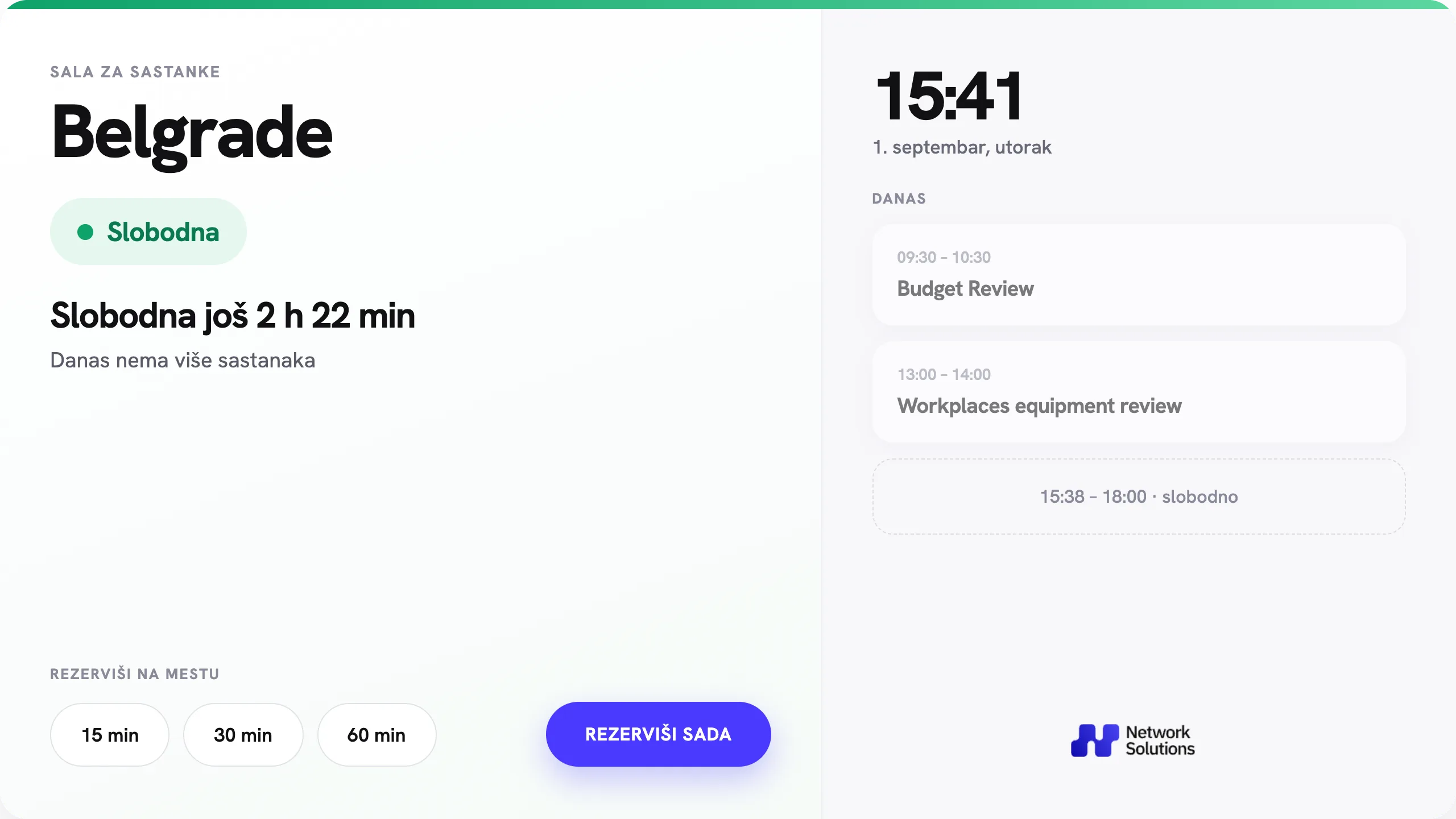
A simple system for managing meeting rooms. Room status, the daily schedule and booking are available right on the Android panel by the door.
From 17,600 RSD per room per year
-
 Room status, schedule and booking on the panel by the door
-
Syncs with Microsoft 365, Google and CalDAV calendars
-
One-touch booking – without opening the calendar on a computer
Why the calendar alone isn’t enough
Rooms are booked in the calendar, but the calendar is not visible at the door: meetings start with a hunt for a free room, ongoing meetings get interrupted, and cancelled slots sit empty because nobody sees them. Network Solutions Room Scheduler makes the calendar visible exactly where people decide who enters the room – on the panel by the door.

A room without a panel
Whether the room is free is known only to the calendar. Employees open the door to check, interrupt meetings in progress and arrange rooms verbally – so double bookings happen.

With NS Scheduler at the door
The room status is visible as you approach the door – on compatible panels also via the LED light. A cancelled meeting frees the slot after calendar synchronization. You can book a free room with one touch, and the booking syncs with the business calendar while the panel is connected.
All the room information in one place
NS Scheduler connects the room calendar with the Android panel by the door. Employees instantly see whether the room is free, how long the current meeting runs and when the next slot is available.
“Free / Busy” status
The current room status is visible at a glance. On compatible panels it can also be shown with an LED light.
Daily schedule
The day’s meetings, the end time of the current meeting and the free slots, at a glance.
Booking from the panel
If the room is free, employees can pick a slot and book it directly on the screen.
Automatic sync
Bookings made on the panel appear in the calendar, and meetings from the calendar are shown on the panel automatically.
Central management
Room setup and system administration are done through a web interface.
Branding
The interface can be adapted to the company logo, corporate colors and visual identity.
Quick booking
Book a room in seconds
When the room is free, employees can quickly choose the meeting length. For more detailed planning, a schedule view is also available.
How it works
The system adds to your existing infrastructure and does not require replacing the video-conferencing equipment in the room.
01
Mounting the panel
An Android tablet or a purpose-built panel is mounted by the door.
02
Connecting the calendar
The system connects to the calendar the company already uses.
03
Automatic status
The screen shows the room status and the schedule for the day.
04
Booking
The employee picks a free slot right on the panel.
05
Sync
The booking syncs with the business calendar while the panel is connected.
Integration with existing calendars
NS Scheduler works with the most widely used business calendar systems.
An existing tablet or a complete solution


Why NS Scheduler
NS Scheduler is developed by Network Solutions – a dedicated room booking system without the price and commitments that come with foreign solutions.
Our development, direct support
We develop and maintain the system ourselves. Reach out during business hours and you get help straight from the team behind it – no tickets, no support in another time zone.
A significantly lower price
The same core feature set as the dedicated systems of major foreign vendors – at a significantly lower price. Licensed per room, in dinars (RSD).
Runs on the panel you already have
A compatible Android panel you already own is enough – you buy only the software, with no changes to the room.
Subscription or perpetual licence
An annual subscription for the lowest entry cost, or a perpetual licence with no annual fees – you choose the model that matches your procurement.
Everything in the standard licence
Calendar sync, booking from the panel, web administration and branding are included – no split into basic and advanced tiers.
A demonstration before you decide
We show the system live, in your own rooms or in a video call – and only then send an exact quote.
Licensing
Choose the model that better matches your procurement style. The price covers the software licence for one room. Equipment and installation are billed separately.
Annual subscription
17,600 RSD / per year
- Licence for one room
- Calendar sync
- Booking from the panel
- Web administration
- Appearance customization
Perpetual licence
70,400 RSD / one-time
- Licence for one room
- No annual subscription
- Calendar sync
- Booking from the panel
- Web administration
All listed prices are excluding VAT.
Frequently asked questions
Do you need a door panel at all?
An honest answer: not always. The system helps most where rooms are constantly overbooked. With a single room, a shared calendar is often enough.
The panel pays off when…
- Several rooms share one schedule and slots keep clashing
- Employees lose time hunting for a free room
- Rooms are used by the hour or rented out (coworking, business centre)
- You want to add booking to existing rooms without replacing equipment
You probably don’t need it if…
- You have one or two rooms and clashes are rare: a shared calendar is enough
- You only need busy indication, without booking from the panel: a simpler status display will do
Want to see how the system works?
We will show you NS Scheduler in action and help you choose the right panel and configuration for your office.