
Meeting room booking panel
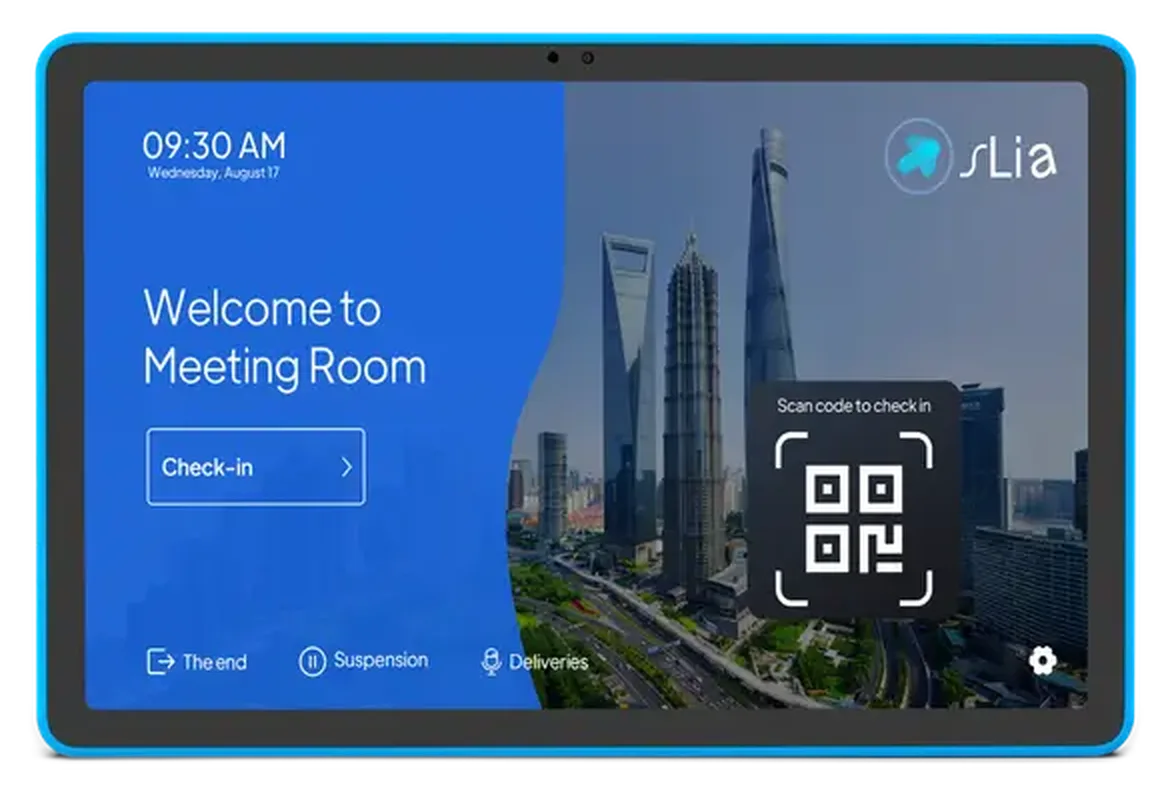
A panel mounted next to the room door shows the room status, the daily schedule and enables one-touch booking – without opening the calendar on a computer. We select the model and app to match your calendar and room booking requirements.
From 58,900 RSD per panel
-
 Status, daily schedule and booking on one screen
-
PoE power – one cable to the panel, no adapters
-
Smart Panel: compatible with Network Solutions Room Scheduler
Why a panel by the door
A room that “looks free” is a common cause of interrupted meetings. The panel solves that – room status, the daily schedule and booking on one screen.

Without a panel
Employees walk into a room that “looks free”, interrupt someone’s meeting and have no idea how long the room is taken.

With a panel by the door
The status is visible instantly, and a free slot is booked with one touch – without the calendar on a computer.
Every function in one place
Smart Panel is an Android device. Booking functions depend on the installed app, calendar configuration and network connection.

Room booking system
Smart Panel supports our booking system: “free / busy” room status, the daily schedule and a quick slot-booking button right on the screen.

PoE power
One network cable over the IEEE 802.3at standard powers the panel and carries the internet – or use the included DC 12V adapter.

Wi-Fi 6 and Bluetooth 5.4
A fast, stable wireless connection on the 11″ Pro model, along with the gigabit RJ45 port both models have.

LED status strip
The room status is highlighted twice: on the screen and with LED lighting around the panel – you can see the room is busy on the approach to the door. The 10.1″ Slim model has LED lighting on all four sides of the display.

Camera, microphone and audio
The 11″ Pro model brings a 5MP camera, a quad-microphone array with noise reduction and two 2W speakers – for video calls and quick meetings with no extra hardware.

Mounting kit
For Smart Panel, we check the package contents: wall and VESA mounts, a 12V/2A adapter and a manual. Additional materials and work are listed in the installation quote.
Models
Choose a panel for your rooms
The Smart Panel models are full Android devices and fully compatible with our room booking system. For Microsoft Teams and Zoom environments the range also includes purpose-built panels from Logitech, Jabra, Poly and Yealink.
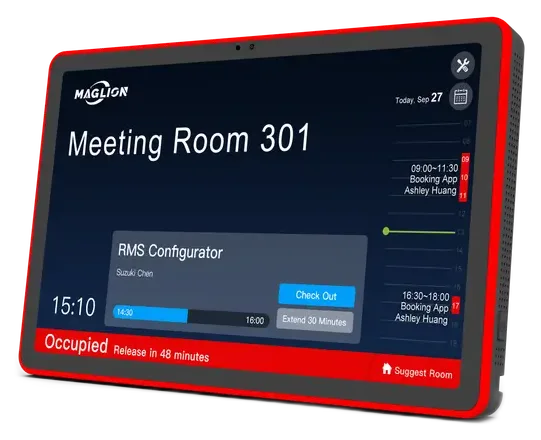
Advanced model
Smart Panel 11″ Pro
64.900 RSD
- 10.95″ display, 1920×1200, 280 nits
- RK3576S 8-core · NPU 3.0 TOPS · 4GB/64GB
- Wi-Fi 6 and Bluetooth 5.4
- 5MP camera, quad-microphone, 2×2W audio
- RGB LED strip, NFC/RFID optional
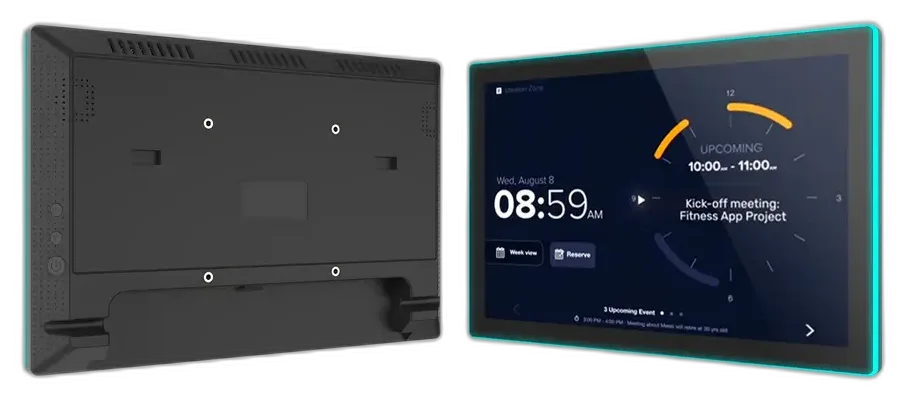
Base model
Smart Panel 10.1″ Slim
58.900 RSD
- 10.1″ IPS display, 1280×800, 16:10
- RK3576 · 4GB RAM · 64GB
- LED status lighting on four sides
- PoE power, Wi-Fi and an RJ45 port
- HDMI input – show an external source
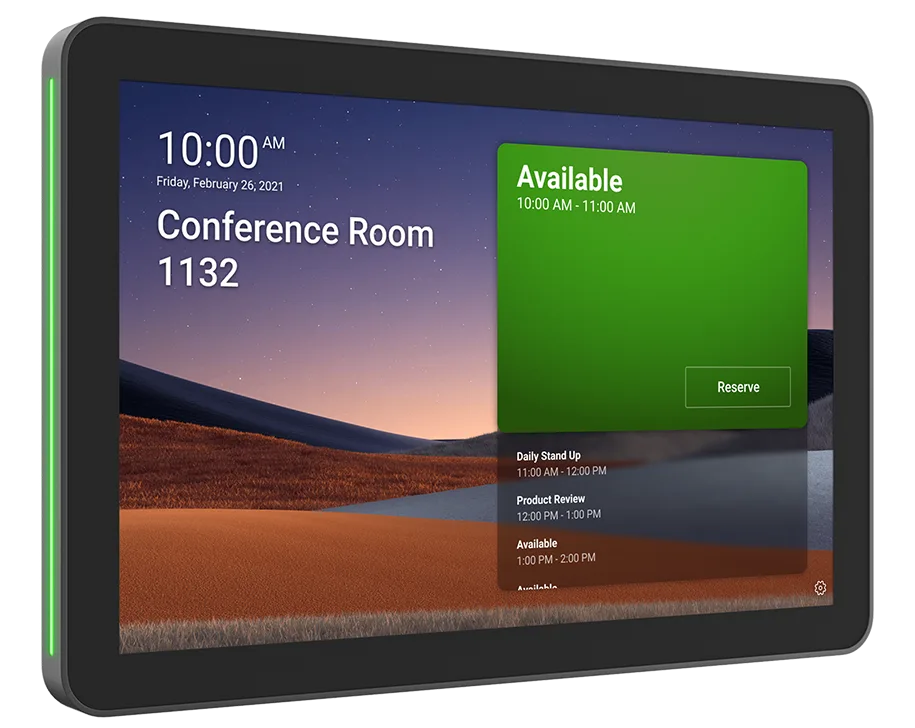
Logitech · Teams / Zoom
Logitech Tap Scheduler
From 100,000 RSD
- 10.1″ IPS display, 1280×800, 400 nits
- Capacitive 10-point multi-touch
- PoE power (IEEE 802.3af)
- Wi-Fi 802.11ax and Ethernet 10/100
- Wall, glass and door-frame mounting
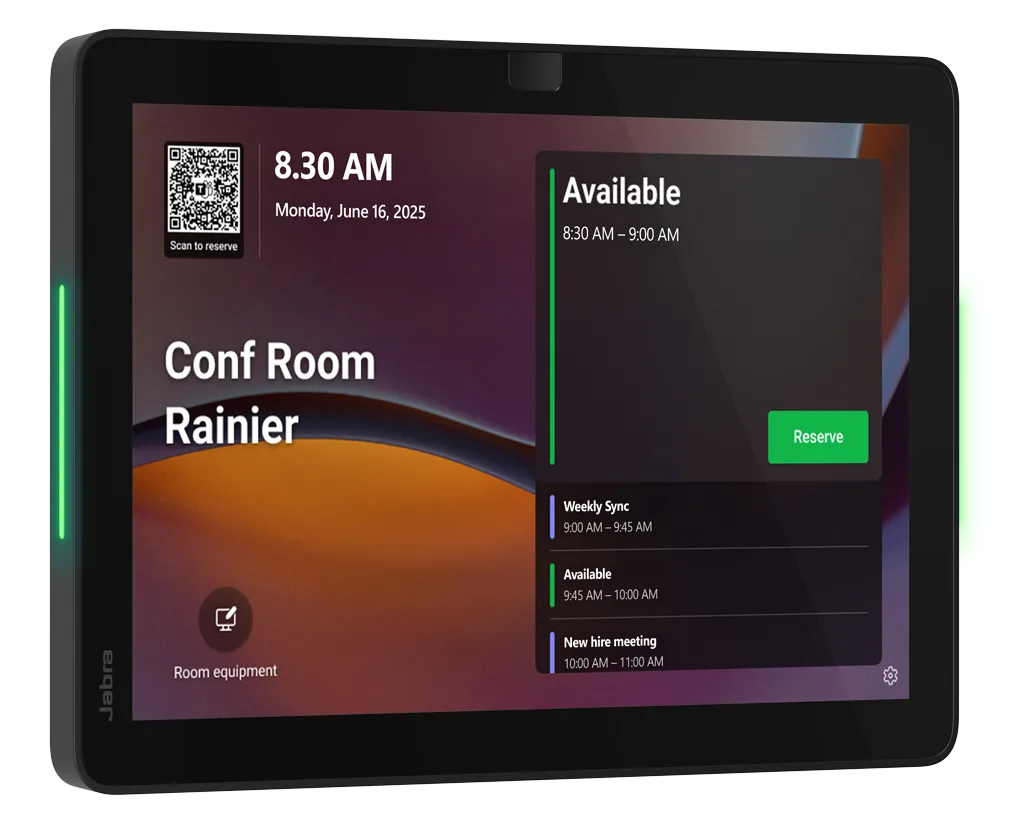
Jabra · Teams / Zoom
Jabra Scheduler
- Integrated lightbar – room status visible from a distance
- Certified for Microsoft Teams panels and Zoom Rooms
- One-touch booking on the touchscreen
- Wall or glass mounting, mount included in the box
- Central management through the Jabra+ platform
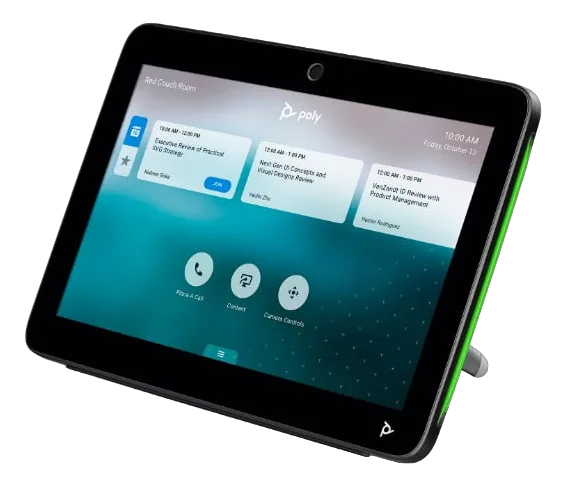
Poly · Teams / Zoom
Poly TC10
- 10.1″ touchscreen – schedule and room booking
- Certified for Microsoft Teams panels and Zoom Rooms
- Control of room peripherals through platform integrations
- PoE power – a single cable to the panel
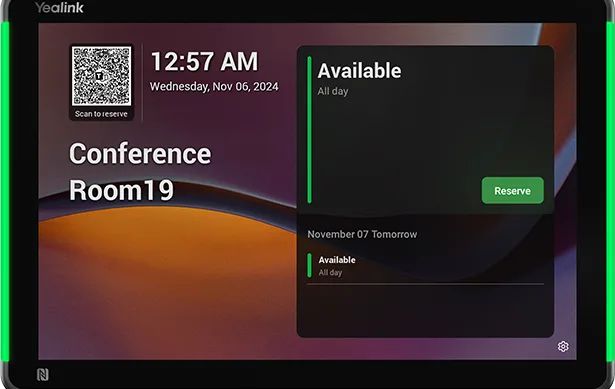
Yealink · Teams / Zoom
Yealink RoomPanel Plus E2
- Android 13 with the MDEP platform (Microsoft Device Ecosystem)
- Full-RGB LED status bars on both sides of the display
- Wi-Fi 5, Bluetooth 5.0, NFC/RFID
- PoE or DC power – mounting without visible cables
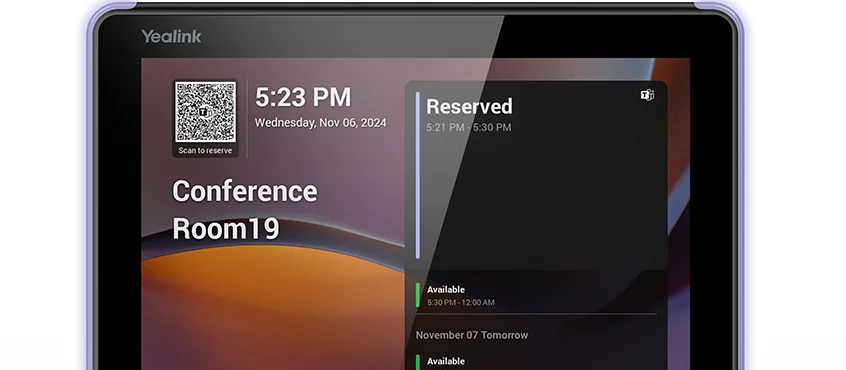
Yealink · Teams / Zoom
Yealink RoomPanel E2
- Android 13 – fast, stable operation with Google Play
- Full-RGB LED status bars on both sides of the display
- Wi-Fi 5, Bluetooth 5.0, NFC/RFID
- PoE or DC power – mounting without visible cables
Choosing help
Not sure which panel is right for your rooms?
Tell us how many rooms you have and which calendar you use – we will propose models, quantities and a mounting plan.
- Compatibility with Microsoft 365, Google, Teams and Zoom environments
- PoE power and mounting by the door, without visible cables
- A proposal by room count and budget – no obligation
All listed prices are excluding VAT.
A design that blends into the space
An ultra-thin bezel with a full-lamination display looks like part of the wall. Mounting is quick and the cables stay invisible.
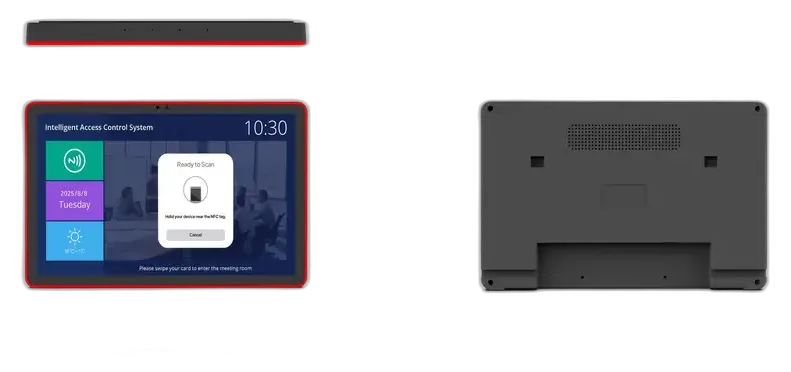
All ports in one place – USB, RJ45, Type-C, TF
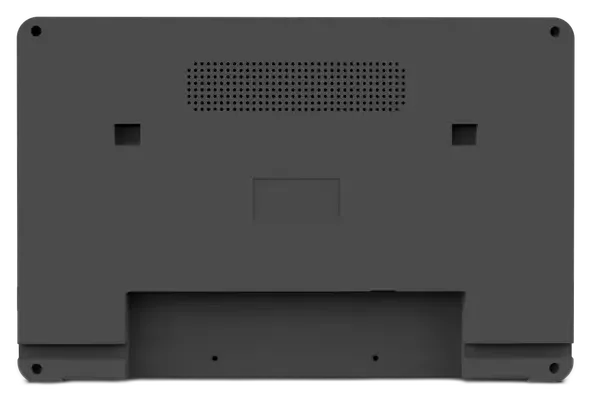
The back with a VESA mount and hidden cable channels
Panels in a real environment
Mounted next to a meeting-room door or on a glass partition – the panel is the first thing employees and guests see. The room status is readable from a distance, and the LED lighting around the edge confirms whether the room is free.
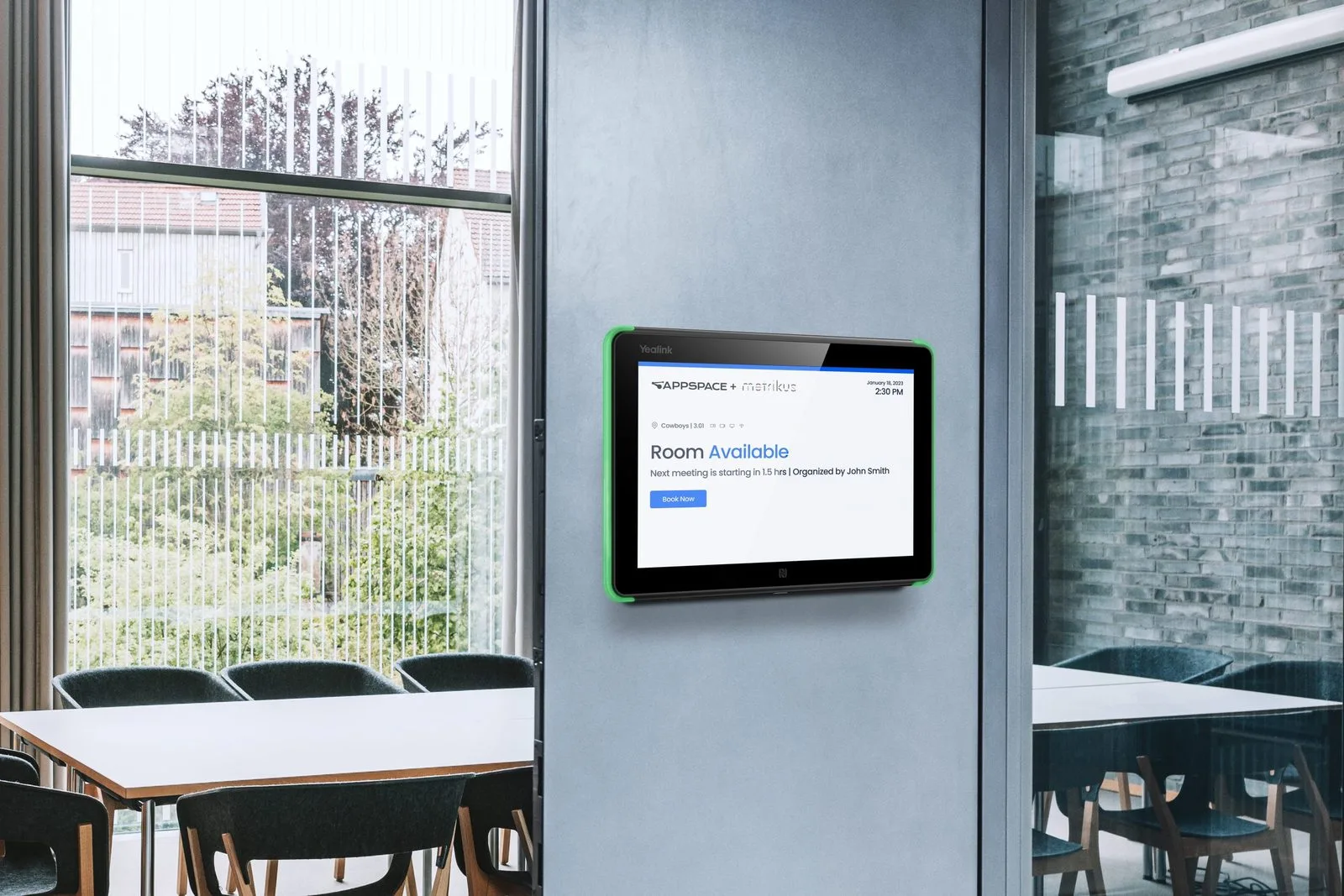
A panel next to a meeting room – the room status visible from every spot in the office
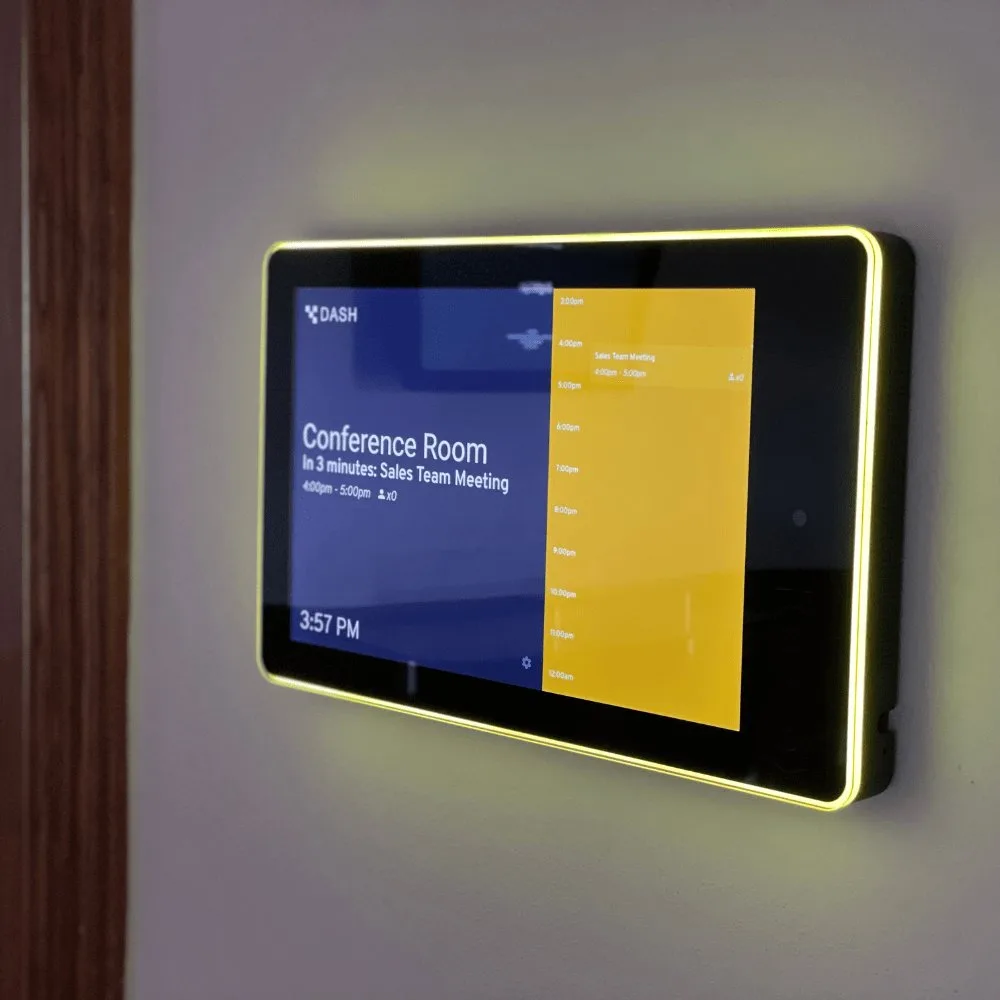
LED lighting around the panel edge marks the room as busy – visible on the approach to the door
How it works
Basic setup and getting started take up to one hour when power, network, calendar and the required access are prepared in advance. We agree mounting, cabling and additional integrations separately.
01
Wall mounting
The panel is mounted next to the room door on the bracket from the box – like a small TV.
02
One cable
PoE powers the panel and carries the internet at the same time, or use the included DC 12V adapter.
03
Quick setup
After turning on the panel, configure the network and booking app. Calendar and account settings depend on the selected system.
04
Your applications
Install compatible Android applications on Smart Panel. For dedicated Teams/Zoom panels, we check which applications the manufacturer supports.
05
Room status on screen
Employees instantly see whether the room is free, how long the current meeting runs and when the next slot is.
Integration with business calendars
Calendar support and synchronization depend on the selected panel and booking app. The booking system can be added to existing rooms without replacing hardware.
What you get in the box


Technical specifications
Specifications for Smart Panel and Logitech Tap Scheduler models. For extra options (an NFC/RFID module) feel free to contact us.
Smart Panel 11″ Pro
64.900 RSD
Display
10.95″ IPS, 1920×1200, 16:10, 280 nits
Touch
10-point capacitive, in-cell
CPU
RK3576S, 8-core (4×Cortex-A72 + 4×A53)
GPU / NPU
Mali-G52 MC3 · 3.0 TOPS
Memory
4GB RAM · 64GB, TF card up to 128GB
System
Android 14 with Google Play
Connectivity
Wi-Fi 6 (802.11ax), Bluetooth 5.4, gigabit RJ45
Camera and audio
5MP camera, quad-microphone, 2×2W speakers
Lighting
RGB LED strip around the display
Ports
USB 3.0, USB (TTL), Type-C (OTG), RJ45, TF, 3.5mm
Power
PoE IEEE 802.3at or DC 12V (12V/2A adapter)
Optional
NFC (NXP PN7160) · RFID 125k
Colors
Black / white
Smart Panel 10.1″ Slim
58.900 RSD
Display
10.1″ LED IPS, 1280×800, 16:10
Touch
10-point capacitive
CPU
RK3576
Memory
4GB RAM · 64GB
System
Android 14 with Google Play
Connectivity
Wi-Fi, RJ45, HDMI input
Lighting
LED strip on all four sides of the display
Design
Ultra-thin ~10mm bezel, full lamination
Ports
USB, Serial, Type-C, RJ45, TF, 3.5mm, DC-in
Power
PoE IEEE 802.3at or DC 12V (12V/2A adapter)
Mounting
Wall mount in the box (VESA)
Color
Black
Logitech Tap Scheduler
From 100,000 RSD
Display
10.1″ IPS LCD, 1280×800, 400 nits, 1000:1
Touch
Capacitive, 10-point multi-touch
Glass
Oleophobic anti-fingerprint coating
Connectivity
Wi-Fi 802.11a/b/g/n/ac/ax, Ethernet 10/100
Power
PoE IEEE 802.3af Type 1, Class 3
Mounting
Wall, glass, mullion, VESA 100×100 mm
Dimensions
246.2 × 165 × 28.5 mm · 700 g
Sensors
Accelerometer, ambient light sensor
Security
AES-128 disk encryption, PKI, TrustZone
Platforms
Microsoft Teams Panels, Zoom Rooms, Robin, Envoy, Appspace
Management
Logitech Sync, the CollabOS platform
Colors
Graphite / white
Frequently asked questions
Want to see the panels live?
We will show you the panels running our room booking system and help you choose the model and configuration for your offices.